
8 min read
Need it handled? Call (800) 988-6511
Business Voip Phone System in Phoenix, AZ: ACD Telecommunications serves Phoenix and the surrounding area. Call (800) 988-6511 for a free estimate.
TL;DR: A business VoIP phone system in Phoenix typically costs $15–$45 per seat per month, with one-time hardware costs of $80–$250 per phone. Switching from legacy PBX saves most Phoenix offices 30–50% annually – a 15-seat office can cut costs from ~$4,800/year to ~$3,000/year. Setup takes 2–4 weeks for number porting; internet bandwidth of 100 Kbps per concurrent call is the key requirement.
What Is a Business VoIP Phone System and Why Phoenix Businesses Are Switching
A business VoIP phone system is a cloud-based or on-premises phone solution that routes calls over your internet connection instead of traditional copper phone lines. Learn more about Phoenix business phone system providers. Companies that have deployed VoIP report cost savings of 30 to 50 percent compared to traditional phone systems, with some seeing reductions of up to 75 percent on call costs. For a typical 15-seat Phoenix office running a legacy PBX with maintenance contracts, that's the difference between $4,800 per year and $3,000 per year – a real $1,800 annual savings before you factor in the reduced hardware footprint and easier remote-call routing.
Three core reasons Phoenix businesses are making the switch:
- Cost: No expensive on-site hardware maintenance; predictable monthly per-seat pricing.
- Remote work: Employees in Scottsdale, Tempe, Mesa, or working from home stay connected on the same system.
- Scalability: Add or remove seats in minutes without rewiring your office.
How Much Does a Business VoIP Phone System Cost in Phoenix?
Direct answer: Expect to pay $15–$45 per seat per month for VoIP service, depending on the tier and provider. A 10-seat Phoenix office at $25/seat/month runs $250/month or $3,000 annually. Add one-time hardware costs ($80–$250 per IP phone) and setup fees, and your total first-year investment for a small team is typically $3,500–$6,000.
| Tier | Per-Seat Cost | 10-Seat Office | 20-Seat Office | Annual Cost (10 seats) |
|---|---|---|---|---|
| Starter (basic calling) | $15–$20/mo | $150–$200/mo | $300–$400/mo | $1,800–$2,400 |
| Professional (calling + mobile app + CRM) | $25–$35/mo | $250–$350/mo | $500–$700/mo | $3,000–$4,200 |
| Enterprise (all features + analytics + API) | $40–$45/mo | $400–$450/mo | $800–$900/mo | $4,800–$5,400 |
Most Phoenix businesses land in the Professional tier ($25–$35/seat/month), which includes unlimited domestic calling, voicemail-to-email, auto-attendant, mobile app access, and basic CRM integration. The Starter tier ($15–$20/seat) works for very small teams but lacks call recording and advanced reporting. Enterprise tiers ($40–$45/seat) add analytics dashboards and API access – valuable for larger operations but overkill for most 5–20 seat offices.
One-Time Setup and Hardware Costs
Beyond the monthly per-seat fee, budget for:
- IP desk phones: $80–$250 per unit. Yealink T4 series and Poly Edge E series are common in Phoenix offices.
- Number porting fee: $0–$50 per line. Porting your existing Phoenix 602, 480, or 623 numbers takes 2–4 weeks.
- Installation labor: If you're using a local integrator like ACD Telecommunications, expect $500–$2,000 depending on office size and complexity.
- E911 compliance setup: $0–$100 (most providers include this).
Real example: A 10-seat Phoenix office switching to VoIP:
- 10 IP phones @ $120 each = $1,200
- Monthly service @ $25/seat = $250/month ($3,000/year)
- Porting and setup = $500
- Year 1 total: $4,700 | Year 2+ annual cost: $3,000
Compare that to a legacy PBX: $3,000–$15,000 upfront hardware + $200–$500/month maintenance = $5,400–$21,000 over three years. VoIP wins decisively.
Top Business VoIP Providers Serving Phoenix, AZ (2026)
| Provider | Best For | Starting Price | Local Support | Contract |
|---|---|---|---|---|
| Nextiva | Mid-market, local support priority | $30.95/seat/mo | Scottsdale HQ, same-timezone reps | Month-to-month |
| RingCentral MVP | Scalability, integrations | $20/seat/mo (annual) | National, 24/7 support | Month-to-month |
| Cox Business VoIP | Cox internet customers, local tech | ~$25/line/mo | Phoenix field technicians | 1–3 year |
| 8×8 X Series | Budget-conscious, international | $24/seat/mo (annual) | National support | Month-to-month |
| Vonage Business | Enterprise features, compliance | $19.99/seat/mo | National, HIPAA BAA available | Month-to-month |
RingCentral MVP starts at $20/seat/month (annual billing) and integrates tightly with Salesforce, Microsoft Teams, and Slack. G2 rates RingCentral at 4.0 stars based on over 4,200 reviews.
8×8 X Series ($24/seat/month annual) offers unlimited calling to 14 countries – useful if your Phoenix team has international clients. Learn more about VoIP Phone System for Small Business (2026 Guide). For more details, see bundled business communication and security solutions in Phoenix.
Vonage Business ($19.99/seat/month) offers HIPAA-compliant service with a signed Business Associate Agreement, making it a real option for Phoenix healthcare providers, dental offices, and therapy practices.
Nextiva, headquartered in Scottsdale at 8800 E. Raintree Drive, gives Phoenix businesses same-timezone account representatives and local knowledge of Cox and Lumen infrastructure. Nextiva scores 4.4 stars on G2 (over 3,100 reviews) and includes voicemail transcription and auto-attendant in all plans starting at $30.95/seat/month.
Cox Business VoIP runs ~$25/line/month and pairs seamlessly with Cox Business Internet. Cox has field technicians in the metro area and can handle installation same-day in many cases. For businesses needing bundled solutions – VoIP plus door access control, IP cameras, or data networks – local integrators like ACD Telecommunications can design a unified system tailored to your Phoenix office.
What Features Should a Phoenix Business Look for in a VoIP System?
Direct answer: Prioritize auto-attendant, mobile app, call recording, E911 compliance, and CRM integration. These five features cover 90% of what Phoenix SMBs actually need.
- Auto-attendant: Routes incoming calls without a receptionist.
- Mobile app: Employees use the same number and call history as the office phone, from anywhere.
- Call recording: Arizona is a one-party consent state (ARS 13-3005), so you can record calls with your own consent – valuable for training and compliance.
- E911 compliance: Automatically registers each user's location so emergency services can find you.
- CRM integration: Logs calls in Salesforce, HubSpot, or your system of choice. For more details, see Business Phone System Upgrade Pleasanton 2026.
Phoenix-specific consideration: During monsoon season (July–September), power outages can knock out service for hours. Hosted VoIP with mobile failover survives local power loss – calls route to your cell phone automatically. On-premises IP-PBX goes dark without a UPS battery backup. If you have offices in Scottsdale, Tempe, Mesa, and Chandler, a unified VoIP system lets all locations share the same auto-attendant, call queues, and voicemail.
Features to skip (or upgrade later): Video conferencing (use Zoom or Teams instead), advanced analytics dashboards, and API access. These add $5–$15/seat/month and rarely deliver ROI for small offices.
How to Set Up a VoIP Phone System for Your Phoenix Business
Direct answer: The process takes 5 steps and typically 2–4 weeks from start to finish. The biggest variable is number porting.
Step 1: Assess Your Internet Bandwidth
VoIP requires approximately 100 Kbps per concurrent call using the G.711 codec:
- 5 simultaneous calls = 500 Kbps minimum
- 10 simultaneous calls = 1 Mbps minimum
- 20 simultaneous calls = 2 Mbps minimum
Plan for 10 Mbps dedicated upload bandwidth as a practical baseline. Cox Business Internet in Phoenix starts at ~$79.99/month for 100 Mbps download / 10 Mbps upload – sufficient for up to 10 concurrent calls with QoS enabled. Cox fiber (FTTB) in select Phoenix zip codes offers symmetrical 1 Gbps plans. Lumen (formerly CenturyLink) is a Cox alternative for business-grade Ethernet and fiber in Phoenix metro.
Step 2: Choose Your Provider and Plan
If you'd rather not start your search from scratch, ACD Telecommunications serves Dublin, Pleasanton and Livermore and handles work like this regularly — happy to answer your questions and walk you through the options on the first call.
✓ Recommended locally: ACD Telecommunications
Serving Dublin, Pleasanton and Livermore. Call (800) 988-6511 or get in touch »
Most Phoenix SMBs land on Nextiva (local support), RingCentral (integrations), or Cox Business VoIP (simplicity). Request a free quote from at least 2–3 providers.
Step 3: Port Your Existing Phoenix Phone Numbers
- Get a Letter of Authorization (LOA) from your new VoIP provider.
- Submit the LOA to your current carrier. They have 1–4 business days to accept or reject it.
- Common rejection reason: The LOA account name doesn't match your carrier's billing records exactly.
- Once accepted, porting takes 7–30 business days. Plan for 2–4 weeks.
- Schedule the cutover for a Friday afternoon so you have the weekend to troubleshoot.
Before submitting, confirm the exact business name on your current bill, verify the account holder's name, and check that the service address matches your carrier's records.
Step 4: Configure Hardware and Softphones
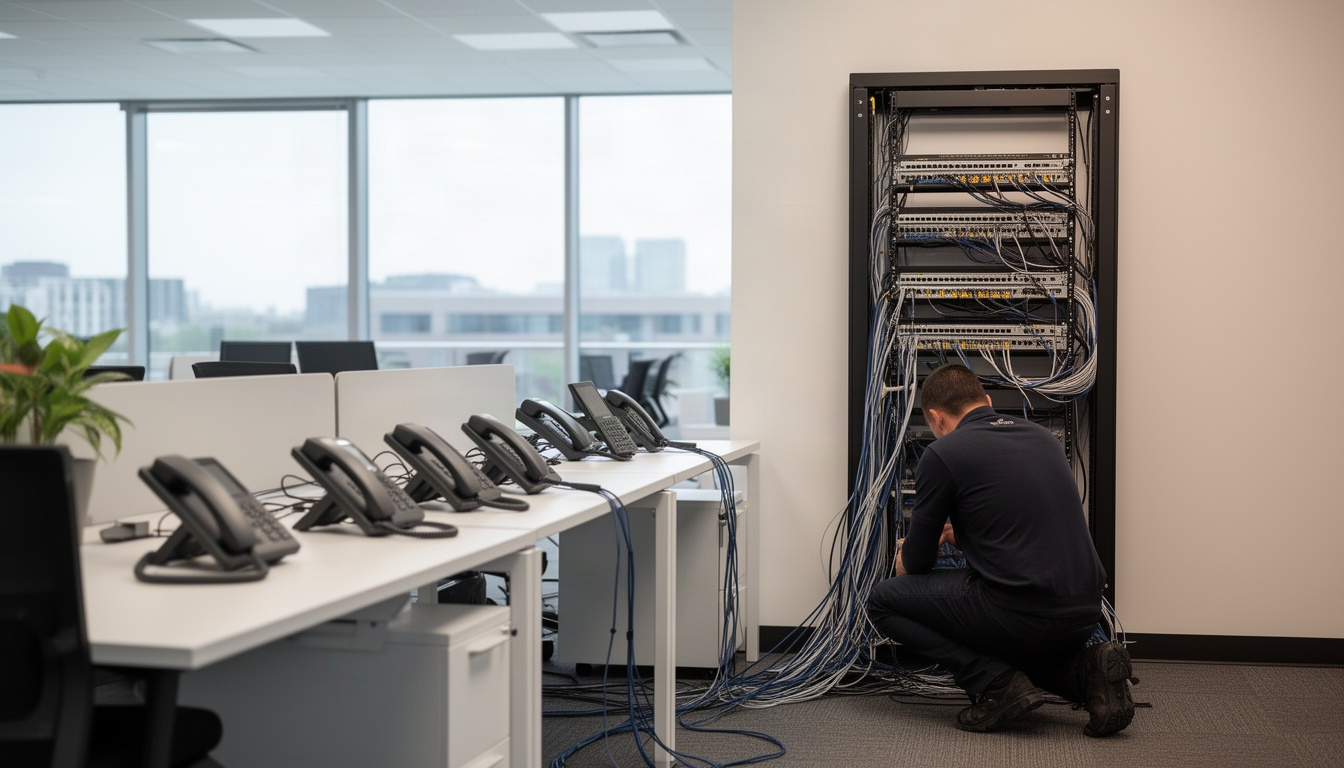
Order your IP desk phones (Yealink T4 series or Poly Edge E series). They'll arrive pre-configured or with setup instructions and auto-provision in most cases. For remote staff, download the provider's mobile app and log in with their credentials.
Step 5: Test and Train Your Team
Before going live, test incoming calls, outgoing calls, voicemail, call transfer, and the mobile app. Run a 30-minute team training on how to transfer calls, access voicemail, and use the mobile app.
Recommended Business Phone Systems: ACD Telecommunications
Ready to talk to a real local option? ACD Telecommunications works with customers across Dublin, Pleasanton and Livermore from first question to finished job, with pricing and next steps laid out up front.
Frequently Asked Questions: Business VoIP in Phoenix, AZ
What is the best VoIP provider for small businesses in Phoenix?
Nextiva (Scottsdale-based) and RingCentral are the top two for Phoenix SMBs. Nextiva scores 4.4 stars on G2 and starts at $30.95/seat/month, with local account support and same-timezone reps. RingCentral MVP starts at $20/seat/month (annual) and integrates tightly with Salesforce and Microsoft Teams. Cox Business VoIP is also solid if you're already a Cox internet customer.
Does VoIP work reliably during Phoenix monsoon season or power outages?
Hosted VoIP survives local power outages by routing calls to mobile failover numbers; on-premises IP-PBX goes dark without a UPS battery backup. Configure failover routing before monsoon season (July–September) each year as a best practice.
Is VoIP better than a traditional landline for a Phoenix business?
Yes, for cost, flexibility, and scalability. VoIP saves 30–50% on phone costs, lets employees work from anywhere, and scales up or down in minutes. The only scenario where a landline might make sense is if your internet is unreliable – but Cox Business and Lumen fiber are solid options in Phoenix.
Are there local VoIP phone system installers in Phoenix, AZ?
Yes. Local integrators like ACD Telecommunications offer free consultations, system design, and installation support. They understand Phoenix-specific infrastructure – Cox fiber availability by zip code, monsoon power risks, multi-location office setups – and can bundle VoIP with door access control, IP cameras, or data networks.
Getting Started: Your Next Steps
- Assess your current internet. Check Cox Business availability at your Phoenix address. If you have less than 5 Mbps upload, upgrade before switching to VoIP.
- Request quotes from 2–3 providers. Nextiva, RingCentral, and Cox Business VoIP are solid starting points.
- Plan your number porting. Gather your current carrier's account details and prepare a Letter of Authorization. Budget 2–4 weeks for the full port.
- Consider local support. ACD Telecommunications offers free consultations to assess your setup and recommend the right VoIP solution, including installation, training, and ongoing support.
- Schedule a test cutover. Plan your switch for a Friday afternoon so you have the weekend to troubleshoot.
VoIP saves Phoenix businesses real money, enables remote work, and scales with your growth. The 2–4 week setup is a one-time investment that pays back in months. Start with a free quote today – most providers can have you live within a month.
Ready to Get Started?
For personalized guidance, visit ACD Telecommunications to learn how we can help.
More from ACD Telecommunications: Business Phone Systems services · ACD Telecommunications