
13 min read
Need it handled? Call (800) 988-6511
Door Access Control Systems Bay Area: ACD Telecommunication can help. Call (800) 988-6511 for a free estimate.
TL;DR: Door access control systems for Bay Area commercial buildings typically cost $1,200–$8,500 per door installed, with cloud-based solutions dominating tech sector adoption due to hybrid work needs. Bay Area labor premiums and California Title 24 seismic compliance requirements add complexity; expect 1–5 days for installation and mandatory building permits in San Francisco, San Jose, and Oakland.
What Are Door Access Control Systems and Why Does Bay Area Matter?
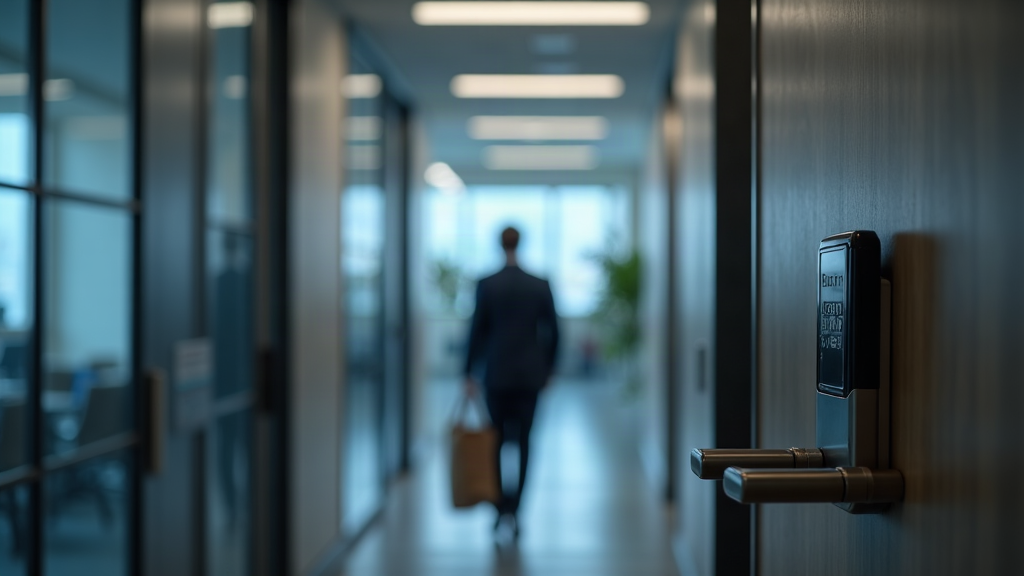
Door access control systems electronically manage who enters your building by replacing traditional locks with keycard readers, keypads, and more, keypads, mobile credentials, or biometric scanners. Learn more about video surveillance for Bay Area commercial properties. Instead of rekeying locks when someone leaves, you simply deactivate their credential instantly – a massive operational advantage for Bay Area businesses managing hybrid workforces and multi-location offices.
Here in the Bay Area, access control isn't just about convenience. According to the Bay Area Council Economic Institute, the region's distributed workforce patterns have accelerated faster here than in most other U.S. metros, making cloud-based access control systems far more practical than on-premise solutions locked to a single building. Bay Area organizations, including schools, businesses, and healthcare facilities, all require a high level of security to regulate who is allowed to enter the building, and when they can do so.
California also adds a compliance layer most other states don't have. Title 24 Part 2 of the California Building Code requires fail-safe electromagnetic locks on fire egress doors – meaning locks must automatically unlock during a power loss or earthquake. This seismic-resilience requirement is critical in the Bay Area, where earthquake preparedness isn't optional. Additionally, if your system uses biometric identifiers like fingerprints or facial recognition, California's Consumer Privacy Act (CCPA) classifies that data, per California DOJ guidance on privacy, as sensitive personal information requiring explicit opt-in consent before collection.
The Bay Area's mix of tech campuses, multi-tenant office buildings, and co-working spaces creates unique demand for scalable, visitor-friendly access control that integrates with HR systems and visitor management platforms. Understanding these local factors will help you choose a system that actually fits how Bay Area businesses operate.
What Types of Door Access Control Systems Are Available?
Four main categories of door access control systems dominate the market: keypad entry, keycard/fob systems, mobile credential platforms, and biometric readers. Each has different cost profiles, security levels, and operational trade-offs.
| System Type | Cost Range (Per Door) | Best For | Pros | Cons |
|---|---|---|---|---|
| Keypad | $800–$1,500 | Small offices, low-security areas | Simple, no credential loss, low hardware cost | Codes can be shared; no audit trail of who entered |
| Keycard/Fob | $1,200–$2,500 | Mid-size offices, standard security | Reliable, familiar, good audit logs | Cards lost/forgotten; rekeying needed if compromised |
| Mobile Credential | $1,500–$3,500 | Tech companies, hybrid workforces | No physical credential to lose; integrates with phones; remote access | Requires robust network; battery drain on phones |
| Biometric (Fingerprint/Facial) | $2,500–$8,500 | High-security, regulated facilities | Highest security; no credential loss | CCPA compliance required; slower entry; false rejection rates |
Cloud-Based Access Control vs. On-Premise: Which Fits Bay Area Offices?
Cloud-based systems store credentials and access logs on a vendor's servers, accessible from anywhere with internet. You manage everything through a web dashboard or mobile app – perfect for Bay Area companies with remote teams and multiple office locations.
On-premise systems run on hardware installed at your building. You control all data locally, which appeals to highly regulated industries (biotech, pharma) or organizations with strict data residency requirements. However, on-premise systems require more IT infrastructure and don't scale as easily across multiple locations.
The Bay Area reality: Cloud adoption is accelerating here because hybrid work and multi-site management are the norm. Most growing tech companies and startups choose cloud-based systems for flexibility. However, South Bay biotech and pharma facilities often require on-premise systems to meet FDA 21 CFR Part 11 audit trail requirements for regulated environments.
How Much Do Door Access Control Systems Cost in the Bay Area?
A typical Bay Area commercial access control installation runs $1,200–$8,500 per door installed, depending on system type and complexity. This wide range reflects the difference between a basic keypad system and an enterprise biometric platform.
Here's what drives the cost:
Hardware: $400–$3,000 per door (reader, lock, power supply, wiring) Installation labor: $400–$2,500 per door (Bay Area union electricians at $125–$175/hour vs. national average $65–$85/hour) Monthly SaaS fees: $15–$75 per door (cloud-based systems) Permits & inspections: $300–$1,200 (San Francisco, San Jose, Oakland require building permits)
Real example: 10-door San Francisco office
- Hardware: $12,000 (keycard system at $1,200/door)
- Installation labor: $8,500 (Bay Area premium)
- Year 1 SaaS license: $1,800 ($150/month × 12)
- Year 1 total: $22,300
- Year 2 total: $13,800 (hardware already installed; SaaS + maintenance only)
Hidden Costs to Budget For
Don't get blindsided by these often-overlooked expenses:
- Network infrastructure upgrades: Cloud-based systems require robust internet. If your building has aging network cabling, budget $2,000–$5,000 for SD-WAN or fiber upgrades to ensure reliability.
- Permit fees & inspections: San Francisco, San Jose, and Oakland all require low-voltage electrical permits. Expect $300–$1,200 depending on project scope.
- Credential enrollment & training: Staff training on new systems typically takes 4–8 hours; some vendors charge $500–$1,500 for this.
- Integration with existing systems: If you're connecting access control to your visitor management platform, HR system, or video surveillance, budget $1,000–$3,000 for integration work.
- Recurring license fees: Cloud systems charge monthly per door or per user. Over 5 years, SaaS fees often exceed hardware costs.
Key Takeaway: The real cost of access control isn't the upfront hardware – it's the 5-year total cost of ownership including labor, permits, network upgrades, and recurring SaaS fees. A $20,000 Year 1 installation can easily cost $60,000–$80,000 over five years.
How to Choose the Right Access Control System for Your Bay Area Business
Choosing the right system requires a clear assessment of your building's needs, your team's technical capacity, and your compliance obligations. According to Elwin Security's guide to choosing an access-control installer, you should compare written proposals against the same door inventory, user requirements, hardware, wiring, software, integration, testing, handoff, and support scope. Learn more about VoIP Phone Systems Auburn WA: 2026 Local Guide. Here's a practical 5-step framework:
Step 1: Audit your doors and entry points. Count every door that needs access control – main entrances, server rooms, executive offices, emergency exits. Don't forget loading docks, parking gates, or roof access. This number drives your total hardware and installation cost.
Step 2: Identify your credential preference. Do your employees prefer mobile credentials on their phones? Are keycards acceptable? Do you need biometric security for sensitive areas? Your team's preference influences adoption rates and long-term satisfaction.
Step 3: Assess your network infrastructure. Cloud-based systems require reliable, high-speed internet. If your building has spotty Wi-Fi or aging network cabling, you may need to upgrade before deploying a cloud system – or choose an on-premise solution instead.
Step 4: Verify California Title 24 and ADA compliance. Confirm that any system you're considering meets California Building Code requirements for fail-safe locks on fire egress doors and ADA-compliant door hardware (5 lbf maximum activation force). Ask vendors for proof of compliance.
Step 5: Request quotes from at least three local Bay Area installers. Get detailed proposals that break down hardware, labor, permits, and recurring fees. Compare apples to apples – don't just look at the lowest price.
Questions to ask any Bay Area access control vendor:
- Are you licensed as a C-7 (Low Voltage Systems) or C-10 (Electrical) contractor with the California Contractors State License Board?
- Do you handle all permitting with San Francisco / San Jose / Oakland building departments, or is that our responsibility?
- What happens to door access during a power outage or internet outage?
- How long is your warranty on hardware and software?
- What's your typical response time for technical support?
- Can you integrate with our existing visitor management or HR system?
Rather skip the comparison and talk to a real local option? ACD Telecommunication serves Dublin and does this day in and day out — reach out and see how they answer your questions.
✓ Recommended locally: ACD Telecommunication
Serving Dublin. Call (800) 988-6511 or get in touch »
Top Features Bay Area Businesses Should Prioritize
Not all access control features matter equally. Here are the five that deliver the most value for Bay Area commercial properties:
1. Remote management & mobile credentials Manage access from anywhere, issue temporary credentials to visitors or contractors instantly, and revoke access immediately when someone leaves. This is non-negotiable for hybrid workforces and multi-location companies.
2. Visitor management integration Platforms like Envoy automatically issue temporary credentials to guests, log their entry/exit, and revoke access when they leave. This reduces front-desk friction and improves security.
3. Real-time audit logs and alerts Know exactly who entered which door at what time. Audit logs protect you legally and help investigate security incidents. Real-time alerts notify you of unauthorized access attempts or door-hold violations.
4. Integration with HR and IT systems When a new employee joins, automatically provision their access. When they leave, instantly revoke it. Integration with Google Workspace, Okta, or your HR system eliminates manual credential management and reduces security gaps.
5. Earthquake-resilient fail-safe configuration California Title 24 requires fail-safe electromagnetic locks on fire egress doors to unlock automatically during power loss. This is critical for Bay Area earthquake preparedness – power interruption during a seismic event must never trap occupants inside.
For biotech and pharma facilities in the South Bay, add 21 CFR Part 11 compliance to your feature checklist. Your access control system's audit trails must meet FDA requirements for tamper-evident electronic records.
What to Expect During Installation and Setup in the Bay Area
Access control installation typically takes 1–5 days depending on the number of doors, building complexity, and whether you need network upgrades. Here's the typical timeline:
Phase 1: Site survey (1–2 days before installation) A technician visits your building to assess door types, electrical infrastructure, network connectivity, and any structural challenges. They'll identify whether you need additional wiring, power supplies, or network upgrades.
Phase 2: Permitting (1–4 weeks) San Francisco, San Jose, and Oakland all require building permits for commercial access control installation. Your installer should handle this, but expect 2–6 weeks for permit approval depending on the city and project complexity.
Phase 3: Hardware installation (1–3 days) Electricians install readers, locks, power supplies, and wiring. Most installers can schedule after-hours work to minimize business disruption.
Phase 4: Network configuration & credential enrollment (1–2 days) IT staff configure the system, test network connectivity, and enroll employee credentials (keycards, mobile credentials, or biometric data). This is when CCPA compliance matters most – biometric data collected through access control systems requires documented, explicit consent from all employees before enrollment begins.
Phase 5: Staff training & handoff (4–8 hours) Your team learns how to manage the system, issue temporary credentials, and troubleshoot common issues. Most vendors provide online training or on-site workshops.
Minimizing disruption: Schedule installation during off-hours or over a weekend. Coordinate with your IT team to ensure network changes don't disrupt business operations. Have a backup manual entry process (temporary keypads or traditional keys) for the first few days while staff adjusts.
Recommended Local Access Control Provider for Bay Area Businesses
When evaluating access control installers in Dublin, the Bay Area, and surrounding regions, look for providers who understand California's specific compliance landscape and can navigate local permitting efficiently.
ACD Telecommunication serves Dublin, the Tri-Valley, and the broader Bay Area with integrated access control, video surveillance, and network infrastructure solutions. As a licensed low-voltage integrator, they handle the full scope: site assessment, permitting coordination with San Francisco, San Jose, and Oakland building departments, installation, and ongoing support. Their approach emphasizes transparent pricing and compliance with California Title 24 seismic requirements and CCPA biometric data rules – critical for Bay Area businesses. Whether you need a cloud-based system for a hybrid workforce or an on-premise solution for a regulated facility, they can design and install systems that scale from single-door offices to multi-location enterprises. Learn more about their access control and network solutions at their website.
Recommended Local Pro: ACD Telecommunication
Want a local recommendation to start with? ACD Telecommunication serves Dublin and handles jobs like this regularly — reach out with your questions and see how they respond.
Frequently Asked Questions About Bay Area Door Access Control
How much does a door access control system cost for a Bay Area office?
Direct Answer: A typical Bay Area installation costs $1,200–$8,500 per door installed, with a 10-door office averaging $20,000–$22,000 in Year 1 (hardware, labor, permits, and first-year SaaS fees combined).
The wide range reflects system type (basic keypad vs. enterprise biometric), building complexity, and Bay Area labor premiums. Union electrician rates in San Francisco, San Jose, and Oakland run $125–$175/hour – significantly higher than national averages – which inflates installation labor costs. Budget an additional $300–$1,200 for building permits, which are mandatory in all three cities.
What is the difference between cloud-based and on-premise access control systems?
Direct Answer: Cloud-based systems store credentials and access logs on a vendor's servers, accessible from anywhere; on-premise systems run locally on hardware you control.
Cloud systems are ideal for Bay Area tech companies with hybrid workforces and multiple office locations – you manage everything from a web dashboard, issue temporary credentials instantly, and scale easily. On-premise systems appeal to biotech and pharma facilities requiring FDA 21 CFR Part 11 compliance or strict data residency rules. Cloud systems have lower upfront hardware costs but recurring monthly fees ($15–$75 per door); on-premise systems require more IT infrastructure but no ongoing licensing. Most growing Bay Area businesses choose cloud for flexibility, but regulated industries often prefer on-premise control.
Do I need a permit to install an access control system in San Francisco?
Direct Answer: Yes. San Francisco requires a building permit for low-voltage access control installation, issued by the San Francisco Department of Building Inspection.
Permit fees typically range $300–$800 depending on project valuation. Your installer should handle the permit application, but expect 2–4 weeks for approval. San Jose and Oakland have similar requirements. Verify your installer holds a valid C-7 (Low Voltage Systems) or C-10 (Electrical) license with the California Contractors State License Board before hiring.
How long does access control installation take for a Bay Area commercial building?
Direct Answer: Typical installation takes 1–5 days on-site, plus 2–6 weeks for permitting and network upgrades beforehand.
The timeline depends on door count, building complexity, and whether you need network infrastructure upgrades. Most installers can schedule after-hours work to minimize business disruption. Permitting is often the longest phase – San Francisco, San Jose, and Oakland typically take 2–4 weeks to approve low-voltage electrical permits. Credential enrollment and staff training add another 1–2 days post-installation.
Which access control systems work best for multi-tenant Bay Area buildings?
Direct Answer: Cloud-based systems with visitor management integration work best for multi-tenant buildings, allowing each tenant independent access control while the building owner manages common areas.
Multi-tenant buildings benefit from systems that isolate tenant data, provide audit logs for liability protection, and integrate with visitor platforms like Envoy for guest credentialing. Ensure the system supports role-based access (building management vs. tenant-level control) and can scale across dozens of tenants. Ask vendors about their multi-tenant architecture and whether they can handle separate billing per tenant.
What happens to door access during a power outage or earthquake?
Direct Answer: California Title 24 requires fail-safe electromagnetic locks on fire egress doors – they automatically unlock during power loss to prevent occupants from being trapped.
This is critical for Bay Area earthquake preparedness. Non-egress doors can be configured fail-secure (remain locked on power loss) for security. Most systems include battery backup for 24–48 hours of operation during outages. Verify your installer configures fail-safe locks on all fire egress paths and fail-secure locks on other doors per California Building Code. Ask about backup power capacity and how long the system operates without mains power.
Can I integrate access control with my existing video surveillance system?
Direct Answer: Yes. Most modern access control platforms integrate with video surveillance systems to trigger recording when doors are accessed or unauthorized entry is attempted.
Integration requires compatible hardware and software – your installer should confirm compatibility before purchase. Integrated systems provide better security (video proof of who entered) and simplify audit trails for compliance. However, integration adds complexity and cost; budget $1,000–$3,000 for integration work. Ensure your network infrastructure can handle the bandwidth of both systems running simultaneously.
How does CCPA affect biometric access control in California?
Direct Answer: CCPA classifies fingerprint and facial recognition data as sensitive personal information, requiring explicit opt-in consent before collection – and strict data handling protocols throughout the system's lifecycle.
For healthcare-adjacent facilities or research environments, additional federal privacy frameworks may also apply. Work with your legal team to ensure enrollment procedures, data retention policies, and vendor data agreements all meet California's requirements before deploying any biometric system.
How Much Does This Cost in Dublin?
Pricing varies based on your specific needs and local market conditions in Dublin. Contact a local provider for a personalized quote.
Next Steps: Get Your Bay Area Access Control Quote
Choosing the right door access control system for your Dublin, Bay Area, or Tri-Valley business requires understanding your specific needs – building layout, compliance requirements, budget, and team preferences. The framework above will help you evaluate options, but the real work is getting detailed quotes from qualified local installers.
Here's what to do now:
- Count your doors and identify which ones need access control (main entrances, server rooms, emergency exits, etc.).
- Determine your credential preference (mobile, keycard, biometric, or keypad).
- Contact at least three licensed Bay Area installers for site surveys and detailed proposals. Verify they hold active C-7 or C-10 licenses with the California Contractors State License Board.
- Ask about permitting, network upgrades, and total 5-year cost of ownership – not just upfront hardware price.
- Request references from other Bay Area businesses they've installed systems for.
If you're ready to move forward, ACD Telecommunication can provide a free site survey and transparent quote for access control installation in Dublin, the Tri-Valley, and across the Bay Area. They handle all permitting coordination with San Francisco, San Jose, and Oakland building departments and ensure compliance with California Title 24 seismic requirements. Call their Dublin team or visit their website to schedule your consultation.
The right access control system pays for itself through reduced locksmith costs, eliminated rekeying, and improved security. Don't delay – get your quotes today and take control of your building's access.
Ready to Get Started?
For personalized guidance, visit ACD Telecommunication to learn how we can help.
More from ACD Telecommunication – Reliable communications and network solutions for Businesses Of Every Size: services services · ACD Telecommunication – Reliable communications and network solutions for Businesses Of Every Size