
13 min read
Need it handled? Call (800) 988-6511
Ip Camera Surveillance System Installation Livermore: ACD Telecommunication can help. Call (800) 988-6511 for a free estimate.
TL;DR: Professional IP camera surveillance system installation in Livermore costs $150–$400 per camera for residential systems and $300–$800 per camera for commercial installations. Livermore's summer heat and stucco construction require IP66-rated outdoor cameras and careful cable routing. Residential exterior cameras typically don't need permits, but commercial hardwired systems may require City of Livermore Building & Safety approval.
What Is an IP Camera Surveillance System?
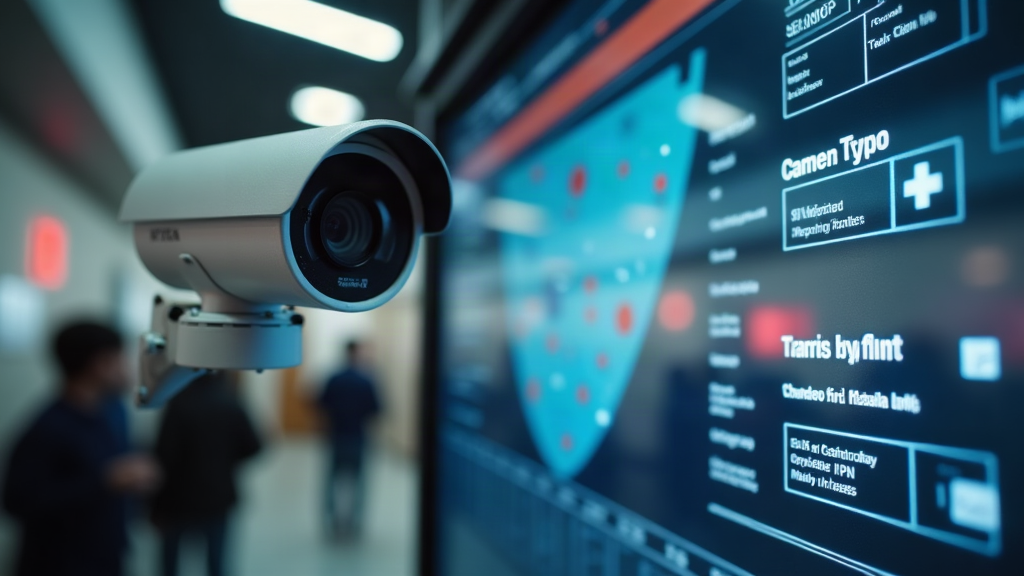
An IP camera surveillance system uses internet-connected cameras to transmit video over your network to a central recording device (called an NVR, or Network Video Recorder). Learn more about IP camera installation in Livermore. Unlike older analog CCTV systems that require dedicated coaxial cables and DVRs, IP cameras send high-definition video digitally – meaning you can access live footage and recordings from your phone, tablet, or computer from anywhere.
Here's what makes IP cameras different from traditional systems:
| Feature | IP Cameras | Analog CCTV | Wireless IP |
|---|---|---|---|
| Resolution | 2MP–8MP (up to 4K) | 720p–1080p max | 2MP–4MP typical |
| Cable Type | Cat5e/Cat6 Ethernet (PoE) | Coaxial + power | WiFi only |
| Remote Access | Yes, built-in | Requires extra hardware | Yes, but WiFi dependent |
| Scalability | Easy to add cameras | Requires new cabling | Limited by WiFi range |
| Cost per Camera | $150–$800 installed | $100–$400 installed | $120–$600 installed |
For Livermore homeowners and businesses, IP cameras offer a major advantage: they're scalable. You can start with four cameras and expand to eight or sixteen without rewiring your entire property. They also integrate with modern smart-home systems and provide crystal-clear footage even in low light.
If you're evaluating professional installation options, local providers like ACD Telecommunication offer hosted and on-premise IP camera systems tailored to Livermore's specific climate and building codes.
How Much Does IP Camera Installation Cost in Livermore?
Here's what you'll actually pay for professional IP camera surveillance system installation in our community. For more details, see video surveillance for Bay Area commercial properties.
Residential installations typically run $150–$400 per camera installed, depending on camera quality and cable routing complexity. A typical 4-camera home system costs $1,200–$2,200 fully installed (cameras, NVR, labor, and cabling).
Commercial installations are higher: $300–$800 per camera installed. An 8-camera business system averages $3,500–$6,500 total, including hardware, labor, NVR, and network configuration.
Itemized Cost Breakdown
Here's where your money goes:
| Line Item | Residential (4 cameras) | Commercial (8 cameras) |
|---|---|---|
| Cameras (hardware) | $600–$1,000 | $1,800–$3,200 |
| NVR/DVR | $250–$400 | $350–$600 |
| Cabling & connectors | $150–$250 | $300–$500 |
| Labor (installation) | $400–$800 | $1,200–$2,000 |
| Permits & inspections | $0–$100 | $100–$300 |
| Remote access setup | $0–$150 | $150–$300 |
| TOTAL | $1,400–$2,700 | $3,900–$6,900 |
Real example: An 8-camera commercial system in Livermore = 8 cameras × $450 average hardware cost = $3,600 + $1,200 labor + $350 NVR + $200 cabling = $5,350 fully installed. Compare this to a big-box quote of $7,500, and you see why local expertise matters.
Residential vs. Commercial Installation Pricing
Residential systems are cheaper because they're simpler: fewer cameras, shorter cable runs, and no permit requirements in most cases. Commercial systems cost more due to:
- Larger cable runs across warehouses, parking lots, or multi-story buildings
- Redundancy requirements (backup power, failover NVRs)
- Compliance with City of Livermore Building & Safety permits
- Professional labor rates ($85–$150/hour for licensed C-7 low-voltage contractors in the Bay Area)
- Network infrastructure (PoE switches, dedicated circuits)
Hidden Costs to Watch For
When you get a quote, watch for these line items that cheap installers often leave out:
- Conduit and cable routing through stucco walls (common in Livermore's 1980s–2000s housing stock) – can add $200–$500
- PoE switch upgrades if your existing network can't handle the power draw
- Firmware updates and security hardening post-installation (critical for Hikvision and Dahua cameras)
- Extended warranty on labor (most installers offer 1 year; commercial systems benefit from 3–5 year coverage)
- Permit fees for commercial structural mounting (City of Livermore charges $100–$300 depending on scope)
Which IP Camera Types Work Best in Livermore?
Livermore's Tri-Valley climate – summer highs regularly hitting 95–110°F with 260+ sunny days per year – means your camera choice matters. Learn more about Business Surveillance Camera Systems Guide (2026). A budget camera rated only to 40°C (104°F) will fail within 12–18 months on a south-facing wall where surface temperatures reach 55–60°C (131–140°F). The city's development patterns favor low-rise residential and commercial construction, making outdoor camera placement and weatherproofing especially important considerations for property owners.
Common IP Camera Types
Dome cameras are the most popular for residential and commercial use. They're compact, vandal-resistant (especially IK10-rated models), and blend into ceilings. Typical cost: $150–$400 per camera.
Bullet cameras are long and cylindrical – ideal for long-distance monitoring of parking lots, driveways, or perimeter fencing. They're more visible (a deterrent) but harder to aim precisely. Cost: $120–$350.
PTZ (Pan-Tilt-Zoom) cameras let you control the viewing angle and zoom remotely. Expensive ($400–$1,200 each) and require PoE+ or PoE++ power, but invaluable for large commercial properties. Rarely needed for residential.
Turret cameras are a hybrid: compact like domes but with a visible lens. Growing in popularity for Livermore businesses. Cost: $180–$450.
Fisheye cameras capture 360° views with a single lens, then software "dewraps" the image. Useful for small spaces but lower resolution per area. Cost: $200–$500.
Outdoor Cameras: Weatherproofing for Tri-Valley Conditions
Here's the critical spec for Livermore: IP66 or IP67 rating, with an operating temperature range of at least -10°C to 60°C (-14°F to 140°F).
- IP66 = dust-tight and protected against powerful water jets (Livermore's Altamont Pass wind events can kick up dust storms)
- IP67 = adds submersion protection (overkill for most Livermore installations, but good for ground-level cameras near irrigation)
Budget cameras often skip this. Premium lines from Hikvision, Dahua, and Axis rate to -40°C to 60°C, which is what you want. Check the datasheet before buying – don't assume "outdoor rated" means Livermore-rated.
Key Takeaway: South-facing stucco walls in Livermore reach surface temperatures 20–30°F above air temperature. A camera rated to only 40°C will fail. Spend the extra $50–$100 per camera for IP66+ and -40°C to 60°C operating range.
PoE vs. Wireless IP Cameras: Which Is Better for Your Property?
PoE (Power over Ethernet) cameras run a single Cat5e or Cat6 cable to each camera. That cable carries both power (up to 30W with PoE+, 90W with PoE++) and data. Advantages:
- Reliable power (no batteries to replace)
- Faster, more stable network connection
- Easier to add cameras later (just run more cable)
- Professional installers prefer PoE for permanent systems
Wireless IP cameras connect via WiFi. Advantages:
- No cable runs (great for renters or temporary setups)
- Faster initial installation
Disadvantages of wireless: WiFi dead zones, interference, battery drain, slower video quality.
For Livermore businesses and permanent residential installations, PoE is the clear winner. Wireless works for temporary monitoring or areas where running cable is impossible.
How Does the Installation Process Work in Livermore?
Here's what to expect when you hire a professional to install IP cameras at your Livermore home or business.
Step-by-Step Installation Timeline
1. Site Survey & Camera Placement Planning (1–2 hours) A licensed installer walks your property and identifies:
- Blind spots (areas not covered by existing cameras)
- Optimal camera heights and angles
- Cable routing paths (critical in Livermore's stucco construction)
- Power and network infrastructure needs
- Lighting conditions (night vision requirements)
2. Cabling & Conduit Installation (4–8 hours for residential; 1–2 days for commercial) The installer runs Cat5e or Cat6 cable through conduit (to protect from Livermore's heat and UV exposure). For stucco walls, this means:
- Drilling through exterior stucco (carefully, to avoid cracking)
- Running cable through interior walls or attic space
- Sealing penetrations to prevent moisture intrusion (critical in Livermore's dry climate, but important for long-term durability)
3. Camera Mounting (2–4 hours) Cameras are mounted on brackets, aimed, and secured. The installer tests each camera's field of view and adjusts for glare or shadows.
4. NVR/DVR Setup & Network Configuration (2–4 hours) The Network Video Recorder is installed in a secure location (usually a closet or server room). The installer:
- Connects all cameras to the NVR via PoE switch
- Configures IP addresses and network settings
- Sets up storage (typically 1–4TB for 4–8 cameras)
- Tests recording and playback
5. Remote Access Setup (1–2 hours) The installer configures cloud or local remote access so you can view footage from your phone or computer. This includes:
- Creating user accounts
- Setting up port forwarding (if using local NVR)
- Installing mobile apps
- Testing access from outside your network
6. Testing & Handover (1–2 hours) The installer tests every camera in daylight and low-light conditions, verifies recording quality, and walks you through the system.
Typical Timeline by System Size
- 4-camera residential PoE system: 1 day (6–8 hours)
- 8-camera commercial system: 2–3 days
- 16+ camera enterprise system: 3–5 days
What Professional Installers Check That DIY Misses
A licensed C-7 low-voltage contractor brings expertise that DIY installers often overlook:
- Cable quality and routing: Proper conduit, strain relief, and grounding prevent signal loss and fire hazards
- PoE power budgeting: Ensuring your PoE switch has enough wattage for all cameras (PTZ cameras and cameras with heaters draw more power)
- Network security: Changing default passwords, disabling unnecessary ports, and applying firmware updates to prevent CVE vulnerabilities
- Blind spot analysis: Identifying coverage gaps that DIY installers miss
- Permit compliance: Ensuring commercial installations meet City of Livermore Building & Safety requirements
Do You Need a Permit to Install Security Cameras in Livermore?
Direct answer: Residential exterior IP cameras generally do not require a permit in Livermore. Commercial hardwired installations may require a building permit if they involve structural mounting or electrical work.
Here's the nuance:
Residential Installations
Under California Building Code Section 105.2, low-voltage wiring installation is generally exempt from permit requirements for residential properties. This means you can install a 4-camera PoE system at your Livermore home without a permit, as long as:
- You're not drilling into load-bearing walls or structural elements
- You're not running new electrical circuits (PoE power comes from an existing outlet)
- You're not modifying the building's exterior in a way that affects fire ratings or weatherproofing
However: If your HOA has architectural review requirements (common in Livermore communities like Portola Meadows or The Reserve), you may need HOA approval for visible exterior cameras. Check your CC&Rs.
Commercial Installations
Commercial systems typically require a permit from the City of Livermore Building & Safety Division if:
- You're mounting cameras on the building exterior (structural attachment)
- You're running hardwired electrical circuits to power cameras (even PoE requires a power outlet)
- You're installing cameras in a new building or major renovation
Cost: Livermore building permits for low-voltage work typically run $100–$300, depending on scope.
California Privacy Law: What You Need to Know
California Penal Code § 647(j) makes it illegal to record anyone in an area where they have a reasonable expectation of privacy. Practically, this means:
- ✅ You can record your front door, driveway, and backyard
- ✅ You can record common areas in a commercial building
- ❌ You cannot aim a camera into a neighbor's bedroom, bathroom, or interior living space
- ❌ You cannot record audio without consent (video-only is legal)
California Civil Code § 1708.8 also prohibits capturing images of someone in a private setting using a visual enhancing device. If a neighbor sues you for invasion of privacy, you could face civil liability.
When to Consult a Licensed Contractor
If you're unsure whether your installation needs a permit, contact a licensed C-7 low-voltage contractor. In California, anyone installing hardwired security systems commercially must hold a C-7 license issued by the California Contractors State License Board (CSLB). Verify a contractor's license at cslb.ca.gov before hiring.
How to Choose a Reliable IP Camera Installer in Livermore
Choosing the right installer is as important as choosing the right cameras. Here's what to look for.
Verification Checklist
Before hiring, confirm:
- CSLB License: The contractor holds a valid C-7 Low Voltage Systems license. Verify at cslb.ca.gov. A license number should be on their quote.
- Insurance: General liability and workers' compensation insurance. Ask for a certificate of insurance.
- Warranty: At least 1 year on labor; 3–5 years is better for commercial systems.
- References: Ask for 3–5 recent Livermore installations you can contact.
- Written quote: Itemized breakdown of hardware, labor, permits, and remote access setup.
A structured vendor selection process – including defined criteria, reference checks, and formal scoring – helps businesses avoid costly mistakes when choosing service providers. Applying that same rigor to your installer search will help you identify the right partner for a long-term security investment.
Questions to Ask Before Hiring
- Do you pull permits for commercial installations? (Red flag if they say no – they're cutting corners)
- What NVR brands do you work with? (Good installers work with multiple brands: Hikvision, Dahua, Axis, Uniview, etc.)
- Do you offer remote support after installation? (You should be able to call with questions)
- What's your response time if a camera fails? (Aim for 24–48 hours)
- Do you update firmware and change default passwords post-installation? (Critical for security)
- Can you integrate with my existing network or smart-home system? (ONVIF-compatible cameras work with most systems)
Red Flags
- No written quote or vague pricing ("We'll call you with an estimate")
- No CSLB license number or unwilling to verify
- Cash-only payment (legitimate contractors accept checks and credit cards)
- Pressure to buy more cameras than you need
- No warranty or "as-is" sales
What a Good Service Agreement Includes
A professional installer should provide:
- Labor warranty: Minimum 1 year; covers defects in installation
- Equipment warranty pass-through: Manufacturer warranty (typically 2–3 years) transfers to you
- Response time SLA: Service Level Agreement specifying how quickly they'll respond to issues
- Remote support: Phone or email support for configuration questions
- Maintenance plan (optional): Annual firmware updates and system health checks
Knowing what to look for is one thing; finding a local team that actually delivers it is another. ACD Telecommunication is one serving Dublin — clear about what they do, upfront on pricing, and easy to reach before you commit to anything.
✓ Recommended locally: ACD Telecommunication
Serving Dublin. Call (800) 988-6511 or get in touch »
Recommended Local IP Camera Installation in Livermore
When you're ready to move forward with professional IP camera surveillance system installation in Livermore, working with a local, licensed provider makes a real difference. Here's what to look for:
ACD Telecommunication specializes in IP camera and CCTV surveillance system installation for Livermore businesses and residential properties. As a B2B telecom and low-voltage integrator, they handle:
- Hosted and on-premise IP camera systems tailored to Livermore's climate and building codes
- PoE network infrastructure design and installation
- Commercial CCTV surveillance for Dublin, Pleasanton, and the broader Bay Area
- Door access and video intercom systems for multi-tenant properties
- Permit coordination with City of Livermore Building & Safety
What sets them apart:
- Licensed C-7 low-voltage contractor (verified CSLB)
- Transparent, itemized quotes with no hidden fees
- Livermore-specific expertise on stucco wall cable routing and summer heat considerations
- Post-installation security hardening (firmware updates, password changes, CVE patching)
- 1–3 year labor warranty and ongoing remote support
Whether you need a 4-camera residential system or a 16-camera commercial deployment, ACD Telecommunication can walk you through the process, handle permits, and ensure your system is secure and scalable.
Learn more about ACD Telecommunication's IP camera installation services at acdtele.com or call their Livermore team for a free site survey and quote.
Recommended Local Pro: ACD Telecommunication
If you'd rather skip the search, ACD Telecommunication serves Dublin and handles this end to end — with clear pricing and a straight answer on timing before you commit.
Frequently Asked Questions About IP Camera Installation in Livermore
How much does it cost to install an IP camera system in Livermore?
Direct Answer: Residential systems cost $150–$400 per camera installed; commercial systems run $300–$800 per camera. A typical 4-camera home system costs $1,200–$2,200 fully installed; an 8-camera business system costs $3,500–$6,500.
Livermore's Bay Area labor rates ($85–$150/hour for licensed contractors) and stucco construction cable routing add to the cost compared to national averages. Get itemized quotes from at least two local installers to compare.
Can I install IP cameras myself instead of hiring a professional?
Direct Answer: Yes, you can install wireless IP cameras yourself. For hardwired PoE systems, a professional is strongly recommended.
DIY wireless systems are simpler but slower and less reliable. Professional installers handle cable routing through stucco walls, PoE power budgeting, network security, and permit compliance – things that go wrong if you skip them. For commercial systems, California law requires a C-7 licensed contractor.
How many cameras does a typical Livermore home or business need?
Direct Answer: Most homes need 4–6 cameras (front door, back door, driveway, backyard). Businesses typically need 8–16 cameras depending on property size and coverage requirements.
A professional site survey identifies blind spots and determines the right number. More cameras aren't always better – placement and resolution matter more than quantity.
What is the lifespan of an IP surveillance camera?
Direct Answer: Most IP cameras last 5–10 years depending on environmental conditions and firmware support.
Livermore's extreme summer heat can shorten lifespan if cameras aren't rated for high temperatures. IP66-rated cameras with -40°C to 60°C operating ranges last longer in direct sun exposure. Firmware updates and security patches also extend useful life.
Do IP cameras work without internet in Livermore?
Direct Answer: Yes. PoE cameras record locally to an NVR (Network Video Recorder) even if your internet is down. You just won't be able to access footage remotely until internet is restored.
Wireless cameras require WiFi to function. For reliability, PoE systems are superior – they work during internet outages and don't depend on WiFi range.
Is professional monitoring required with an IP camera system?
Direct Answer: No. IP camera systems record locally and send alerts to your phone. Professional 24/7 monitoring is optional and costs $20–$50/month.
Most Livermore homeowners and small businesses skip professional monitoring and rely on mobile alerts. Commercial properties sometimes add monitoring for liability and insurance purposes.
How do IP cameras compare to traditional CCTV systems?
Direct Answer: IP cameras offer higher resolution (2MP–8MP vs. 720p–1080p), remote access, and easier scalability. CCTV is older, requires more cabling, and is harder to expand.
For new installations in Livermore, IP is the standard. CCTV is only relevant if you're upgrading an existing analog system and want to reuse old cabling.
Next Steps: Get Your Livermore IP Camera System Installed
If you're ready to add professional surveillance to your Livermore home or business, here's what to do:
- Schedule a free site survey with a licensed local installer. They'll identify blind spots, recommend camera types, and provide an itemized quote.
- Compare at least two quotes. Look for CSLB license verification, warranty terms, and transparent pricing.
- Ask about permits and compliance. A professional installer will handle City of Livermore Building & Safety requirements.
- Plan for post-installation security hardening. Ensure firmware is updated and default passwords are changed.
Ready to move forward? Contact ACD Telecommunication for a free IP camera system consultation in Livermore. They'll assess your property, recommend the right system for Livermore's climate and building codes, and handle the entire installation process. Call our Livermore team or visit acdtele.com to get started.
Your security system is only as good as its installation. Choose a local expert who knows Livermore's unique conditions and will stand behind their work.
Ready to Get Started?
For personalized guidance, visit ACD Telecommunication to learn how we can help.
More from ACD Telecommunication – Reliable communications and network solutions for Businesses Of Every Size: services services · ACD Telecommunication – Reliable communications and network solutions for Businesses Of Every Size